 Signify.ink

Contact exchange used to be a single moment: you meet someone, you hand over a card, and the interaction either produces a follow-up or it doesn’t. That moment has been quietly rebuilt over the last decade — first by QR codes becoming universal, then by NFC chips appearing in every modern phone, and most recently by browser-hosted profiles that open on the recipient’s device without requiring an app. The result is that professional contact exchange now has more working mechanisms than at any point in its history. This article is about what those mechanisms actually are, how they compare, and what Signify does — and does not — support.
A note on framing, because it matters: most “future of contact exchange” articles are built around capabilities that don’t exist yet. This one isn’t. Signify does not have AI-powered follow-ups, does not enrich contacts with AI, and does not auto-generate outreach messages. What Signify does is simpler and, in practice, more useful: it gives you a browser-hosted profile that shares in one tap via QR or NFC, updates when your details change, and reports on views and saves. This article covers that honestly, and where the hype doesn’t match the product, it says so.
The state of paper cards
Paper business cards have a specific failure mode that is worth naming plainly, because it is the reason digital cards exist. The card itself is not the problem — the handoff is. When you hand someone a paper card, you are asking them to perform a small chain of actions afterward: remember the conversation, find the card, enter the details into their phone or CRM, and follow up. Each step has a nonzero failure rate, and the cumulative probability of all five being completed is low.
Industry estimates commonly cited put the discard rate for paper business cards at around 88% within the first week. That number should be treated with some caution — it is widely repeated across the industry, but the original primary source is not well documented, and no rigorous academic study has been published on it. The direction is almost certainly correct (most paper cards are not preserved), even if the exact figure is imprecise.
What is unambiguous is that paper cards remain in circulation at scale. Statistic Brain and IBISWorld estimates put global annual print volume at approximately 10 billion cards per year, with the U.S. alone printing roughly 1.6 billion. The environmental consequence — an estimated 7.2 million trees consumed annually by the card industry — is the most concrete data point in the whole debate, and the one that most organizations cite when considering a switch.
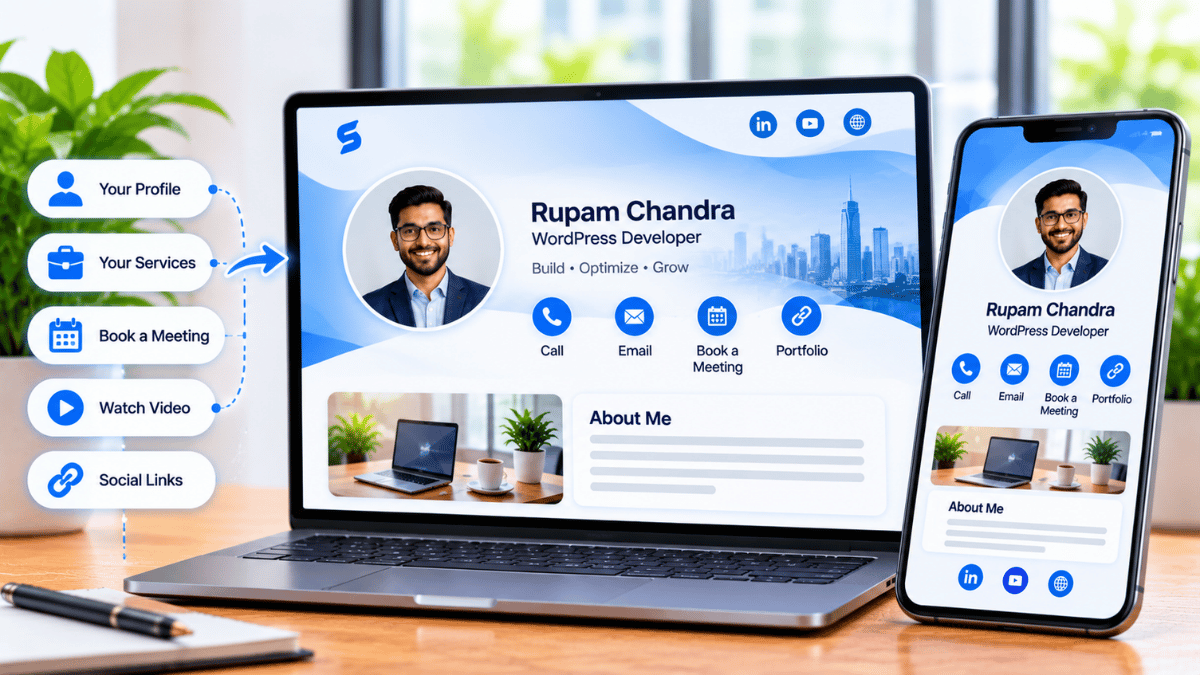
The reason digital cards matter is not that paper is inherently bad, but that digital cards remove the chain of failure described above. When the profile is browser-hosted and shareable in one tap, the recipient saves the contact at the moment of meeting. Everything downstream — the follow-up, the context, the profile staying current — is easier because the capture happened.
QR codes: how they work and what they do
QR codes (Quick Response codes) were invented in 1994 by the Japanese automotive company Denso Wave, originally to track vehicle parts during manufacturing. The format became a consumer standard over the following two decades, and was normalized globally during the pandemic when restaurants, event venues, and payment systems adopted QR scanning at scale. The Denso Wave history page is the primary source for the format’s origin story; the Wikipedia entry on QR codes has a good technical overview of the encoding.
What QR does in contact exchange
A QR code encodes a URL or short string. When a modern smartphone camera scans the code, the phone recognizes the pattern, decodes it, and offers to open the URL in the browser. For a business card, the URL opens the recipient’s browser to the profile — which is exactly where you want the recipient to end up, because a browser-hosted profile works on any device without an app.
The Signify implementation uses dynamic QR codes, which encode a redirect URL rather than the final destination. This has two practical advantages. First, the printed QR code stays valid forever even if the profile changes — a code on a badge, tabletop sign, or flyer does not need to be reprinted when you update your role or links. Second, the platform can track scan events because the redirect passes through Signify’s servers before opening the profile.
Advantages of QR
- Universal compatibility — any phone with a camera can scan it
- Works on printed material — the only format that transfers from paper to phone
- Ideal for high-volume contexts (conferences, tabletop signs, badges)
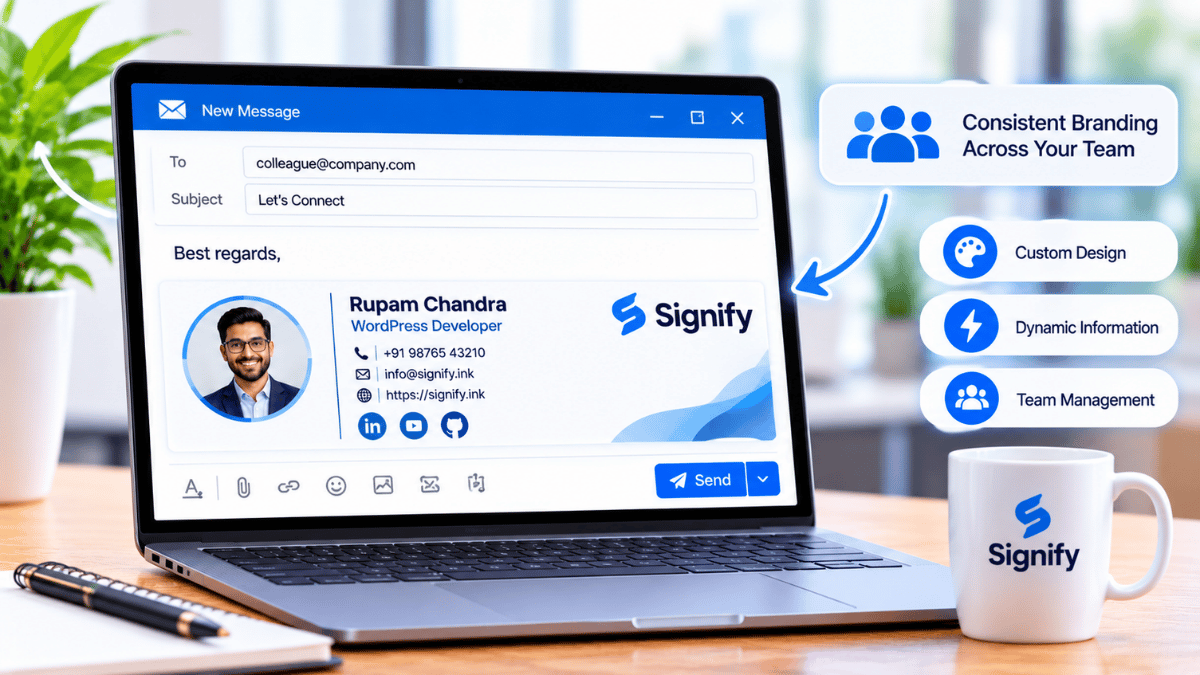
- Can be added to slides, email signatures, and website pages
Considerations
- Requires the recipient to open their camera and aim it — an extra step in one-to-one meetings
- Can struggle in poor lighting or awkward angles
- QR codes have been used for phishing scams, so users are rightly cautious about scanning unknown codes
NFC: how it works and what it does
NFC (Near Field Communication) is a short-range wireless technology that operates at 13.56 MHz and is standardized in ISO/IEC 18092. It is governed by the NFC Forum, which publishes the specifications and maintains the technology’s compatibility framework. NFC is the same technology behind contactless payment cards, transit passes, and phone-to-phone data transfer — which is why it is present in virtually every modern smartphone.
What NFC does in contact exchange
A Signify NFC card contains a passive chip with no battery. When the card is tapped against a modern phone, the phone’s magnetic field induces a small current in the card’s antenna, which powers the chip to broadcast its payload — a URL encoded in NDEF format. The phone recognizes the URL and opens it in the browser, just like a QR scan.
The practical experience is faster than QR: no camera aim, no lighting concerns, no angle issues. The tap takes under a second, and the profile opens immediately. For one-to-one meetings — a handshake at a conference, a client introduction at a restaurant, a networking event — this is the fastest reliable mechanism.
Advantages of NFC
- Fastest in-person share — under a second
- No camera aim required — works in any lighting, at any angle
- No app needed on the recipient’s phone (native iOS and Android)
- Durable — the chip is embedded inside the card, not on the surface
Considerations
- Requires the recipient to have an NFC-capable phone (most modern phones do; very old devices don’t)
- Requires a physical card — cannot be embedded in a slide or a printed flyer the way a QR code can
- Higher unit cost than a paper card (though lower than the lifetime reprint cost)
QR vs. NFC: a direct comparison
The two technologies are complementary, not competitive. The right choice depends on the context, and most professionals end up using both.
| Context | QR | NFC |
|---|---|---|
| One-to-one meeting | Works | Fastest |
| Tabletop sign at event | Best — anyone can scan | Not applicable |
| Printed materials (flyers, badges) | Best — the only format that works on print | Not applicable |
| Slide deck or presentation | Works | Not applicable |
| Recipient’s phone lacks NFC | Works universally | Requires QR fallback |
| Poor lighting or tight angles | Can struggle | Works reliably |
| High-volume event | Best — one card, many scans | Requires handing the card over |
The practical setup most professionals converge on is a Signify NFC card for in-person meetings, plus a dynamic QR code on conference materials, badges, and slides. The two together cover every realistic scenario, and the redundancy eliminates the failure mode of a card that doesn’t work at the moment you need it.
Which to use, and when
A few short heuristics that are useful in practice:
Meeting someone in person
Use NFC. The tap is faster and more elegant, and it does not require either of you to find the right angle with the camera.
Event booth or high-traffic spot
Use a QR code on a tabletop sign. Anyone walking by can scan without interrupting you, and one sign serves hundreds of scans.
Virtual meeting or email follow-up
Use a direct link or email signature. QR and NFC don’t apply when there is no physical or visual handoff.
Video call with QR on screen
Use a Signify virtual background. The QR code in your background is scannable from the recipient’s screen during the call.
The pattern is consistent: NFC is for the moments when both people are physically present, QR is for the moments when the card needs to be visible without your direct involvement, and direct links are for everything else.
CRM integration and what actually exists
One of the most oversold claims in digital card marketing is that the card “integrates with your CRM.” The integration is real for Signify, but it is more specific than the general claim suggests, and it is worth being precise about what it does.
Signify leads supports Zoho CRM sync, with one-click sync, bulk sync for unsynchronized contacts, and re-sync on updates. Organizations using Salesforce, HubSpot, or other CRMs should check the solutions page for current integration support — some integrations exist, and others are on the roadmap rather than shipped. Claiming “integrates with your CRM” in a blanket way is misleading; the honest version is “integrates with Zoho today, with others in development.”
What the integration is for is more useful to understand. A digital card is an input mechanism: it captures the contact at the moment of meeting. The CRM is the destination: it stores the contact, tracks the relationship, and produces the pipeline. Without an integration, the contact sits in the card platform and the CRM sits empty, and the professional is back to manual entry. With the integration, the contact flows from card to CRM automatically, and the follow-up can be scheduled based on the pipeline.
For most professionals, the practical case for a digital card is not “CRM integration” as a feature — it is that the card produces a captured contact where paper produces a discarded one. The CRM integration is a second-order benefit: it makes the captured contact useful faster.
The “AI” question, answered honestly
Every few months a new article claims that digital business cards are about to be transformed by AI: AI-enriched contact profiles, AI-generated follow-up messages, AI-recommended connection suggestions. Most of these claims are aspirational rather than descriptive, and this article is going to be precise about it.
What Signify does not do
- Signify does not use AI to enrich contacts. When you save someone’s card, you get the details they chose to share — no automatic enrichment from public sources.
- Signify does not auto-generate follow-up messages. The follow-up is written by you, not drafted by a model.
- Signify does not recommend connections. There is no AI-driven “you should meet” feature.
- Signify has no announced roadmap for any of the above.
What does exist for AI-assisted follow-up
Several tools in the email and CRM ecosystem offer AI-generated follow-up drafts based on meeting context. Superhuman, Gemini for Gmail, Microsoft Copilot in Outlook, and various sales engagement platforms all provide something in this space. These are useful in their own context, but they are not part of the Signify product, and using them requires connecting Signify as one input to your email tool, not as a replacement for it.
For teams and organizations
Enterprise deployments add a governance layer on top of the individual card experience. Signify Teams provides the tools that make card consistency feasible across hundreds of employees.
What Teams adds
- Organization card templates — every employee’s card inherits the same logo, colors, and required fields, while individual details remain personal.
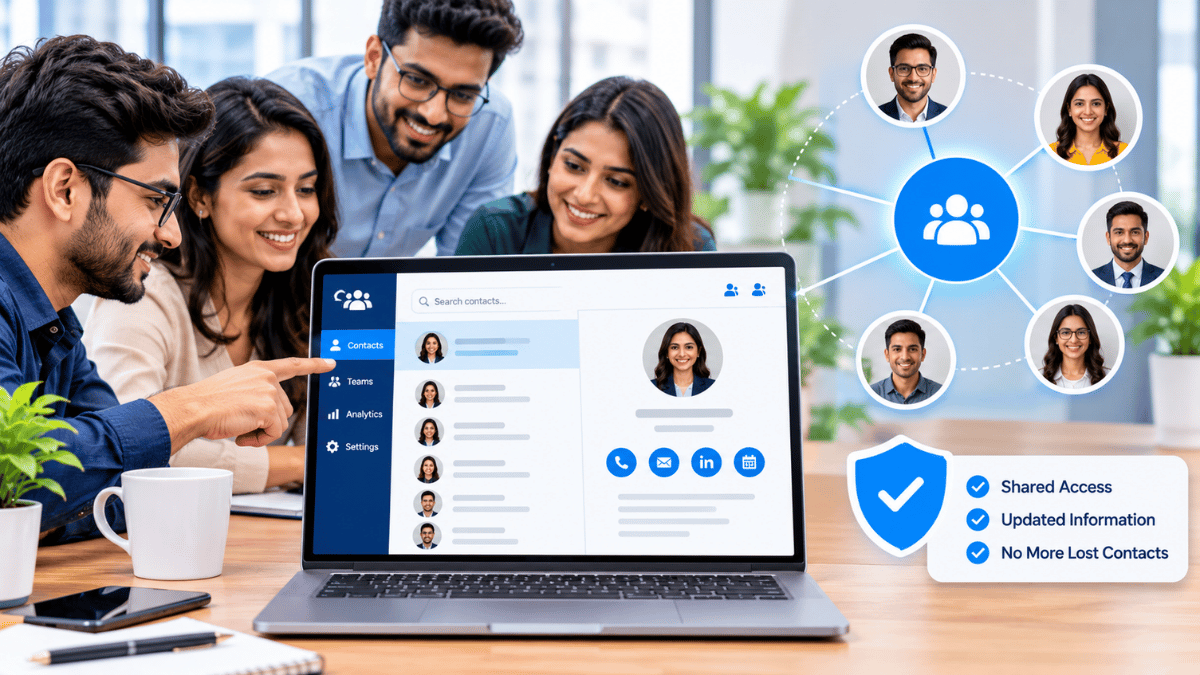
- Shared contacts — contacts captured by any employee appear in a shared directory, so the organization stops losing relationships when employees change roles.
- Team analytics — views, saves, and link clicks aggregated across the organization, so leadership can see which events and channels produce engagement.
- CRM integration — contacts flow into Zoho CRM automatically, so the pipeline stays current across every employee’s activity.
For organizations that maintain a public-facing page, Business Brief extends the same logic to the company level — a single branded destination that routes visitors to individual employee cards. The Security Policy and Privacy Policy cover the data-handling posture enterprise buyers and compliance reviewers will want. Per-seat pricing is on the pricing page.
How to start today
The gap between “considering a digital card” and “using one” is small. The first step takes about ten minutes.
- Create your profile at Signify’s card editor. Add your name, title, a professional photo, and three or four links you actually want people to visit.
- Choose your sharing methods. Most professionals use at least two: NFC for in-person meetings, QR for printed materials and events, and a direct link or email signature for remote follow-up.
- Test on a device that isn’t yours. Scan the QR code from a friend’s phone. Tap the NFC card against a device that isn’t your own. Confirm the profile opens correctly and the important links work.
- Add a QR code to your email signature. This is the highest-ROI extension for most professionals — every email becomes another way to share your card.
- Update the card when your details change. The card is only as good as its current information. Review it quarterly.
For organizations, the next step is Signify Teams — a seven-day trial lets you evaluate the deployment before committing. For related reading, the Signify Insights library has companion articles on QR networking, NFC cards, and the digital-to-LinkedIn workflow.
Frequently asked questions
What are QR codes, and how do they work?
QR (Quick Response) codes are two-dimensional barcodes invented by Denso Wave in 1994. A modern smartphone camera recognizes the code pattern, decodes it, and offers to open the URL it contains in the browser. For a Signify card, the QR code opens the recipient’s browser to your digital profile. Denso Wave’s history page has the primary source on the format’s origin.
What is NFC, and how does it work?
NFC (Near Field Communication) is a short-range wireless technology standardized in ISO/IEC 18092. A Signify NFC card contains a passive chip with no battery. When tapped against a phone, the phone’s magnetic field induces a small current in the card’s antenna, which powers the chip to broadcast a URL. The phone opens the URL in the browser. The NFC Forum maintains the specifications.
Is the 88% paper card discard rate accurate?
The 88% figure is widely repeated across the industry, but the original primary source is not well documented. No rigorous academic study has been published on the exact number. The direction — most paper cards are not preserved — is almost certainly correct, even if the specific figure is imprecise. This article treats it as an industry estimate rather than a precise statistic, and does not attribute it to a specific study because the attribution cannot be verified.
Which is better for networking: QR or NFC?
Neither is universally better. NFC is faster and more elegant for one-to-one meetings. QR is more universal, works on printed materials, and is better for high-volume contexts like events. Most professionals use both — NFC for in-person, QR for events and print, and a direct link or email signature for remote follow-up.
Does Signify have AI features?
No. Signify does not use AI to enrich contacts, generate follow-up messages, or recommend connections. There is no announced roadmap for these features. Articles claiming Signify has AI-powered follow-ups or AI-enriched profiles are incorrect. If you need AI-assisted follow-up, tools like Superhuman, Gemini for Gmail, or Microsoft Copilot offer it as a separate layer that can connect to Signify as an input.
Does Signify integrate with our CRM?
Signify leads supports Zoho CRM sync, with one-click sync, bulk sync for unsynchronized contacts, and re-sync on updates. Organizations using Salesforce, HubSpot, or other CRMs should check the solutions page for current integration support. Some integrations exist and others are on the roadmap rather than shipped.
Do recipients need an app to view a Signify card?
No. The card opens in a standard web browser on any smartphone, tablet, or computer. Both QR and NFC routes end in the browser — no app download, no account creation, no compatibility concerns.
How does Signify Teams help organizations?
Signify Teams provides organization card templates that keep branding consistent across every employee card, shared contacts so the organization stops losing relationships when employees change roles, team analytics for measuring engagement, and CRM integration. Seat counts range from 5 to 100 with a seven-day free trial.
Is the sustainability benefit real?
The industry-standard estimate is that approximately 10 billion paper business cards are printed globally each year, consuming roughly 7.2 million trees. Digital cards eliminate the recurring print-and-discard cycle. However, digital services still rely on devices, networks, and data infrastructure, so the honest claim is that digital cards eliminate paper waste — not that they have zero environmental cost.
What is the first step?
Create a free Signify card, add your details and links, and test the QR code on a device that isn’t yours. The whole setup takes about ten minutes and the free tier is enough to evaluate the workflow.
Contact exchange that actually works
QR, NFC, and direct links in one browser-hosted profile — no AI claims, no fabricated statistics, no hype.
Create your free digital card