 Digital Card

Build a Digital Identity That Connects Everything
In today's connected world, your digital identity is often the first impression you make. Scattered profiles, outdated contact info, and inconsistent branding can cost you opportunities before a conversation even starts. This guide walks you through organizing everything — from social media handles to portfolio links — into one cohesive, accessible professional presence.
Your Online Presence Is More Than One Profile
Your professional identity is built from many connected touchpoints: social networks, websites, portfolios, contact details, and the work you share. Organizing these elements into a consistent system helps visitors understand who you are and how to connect with you.
What Makes a Strong Digital Identity?
A powerful digital identity goes beyond having a LinkedIn profile. Your name, headshot, job title, bio, and contact information should remain consistent across every platform.
- Use a consistent professional name
- Keep your role and experience accurate
- Use a recognizable profile photo
- Maintain a unified professional introduction
- Make your contact details easy to find
Why Multiple Profiles Create Confusion
A Twitter bio that says "aspiring designer," a LinkedIn profile listing "Senior UX Designer," and a portfolio with no bio at all can send mixed signals.
Each disconnected profile creates friction for someone trying to reach or evaluate you. A central source of truth helps connect your different professional platforms.
Connect Your Social and Professional Platforms
Link every relevant platform from one central hub. Prioritize the platforms where you are most active and where your target audience spends time.
Crosslink strategically: Your LinkedIn should point to your portfolio, and your portfolio should link back to LinkedIn. Use consistent usernames wherever possible, such as @yourname, to make yourself easier to find.
Consistent Photography
Use the same professional photo across all platforms so visitors can recognize you easily.
Concise Bios
Keep bios under 160 characters for universal compatibility, while clearly communicating your professional focus.
Highlight Your Best Work
Pin your most important or recent projects to the top of each profile.
Organize Your Contact Details
Your professional email, phone number (if appropriate), time zone, and preferred communication channel should be easy to find in one click. Group contact options clearly so visitors know how to reach you.
Use a dedicated contact page on your website or a tool like Linktree, Carrd, or a custom landing page. Avoid burying your email inside a PDF or platform bio where it may be difficult to find or copy.
Add Your Portfolio and Website Links
Your portfolio is your strongest proof of work — don't let it hide. Add your portfolio URL to your email signature, LinkedIn headline, resume header, and every social bio.
If you have multiple specialties, such as writing and design, consider creating separate portfolio sections or landing pages rather than one cluttered page.
A personal domain, such as yourname.com, can make your links more memorable and give your professional presence a consistent home.
Build a Consistent Brand Voice
Use the same tone, keywords, and professional summary across all platforms. Whether someone finds you on LinkedIn or reads your GitHub README, your professional story should feel seamless.
Write a master bio in three lengths and use each version where it fits best.
A short introduction for compact social profiles and brief professional descriptions.
A little more context about your role, expertise, and the value you bring.
A detailed introduction for your website, portfolio, and professional profile pages.
Use a Central Link Hub
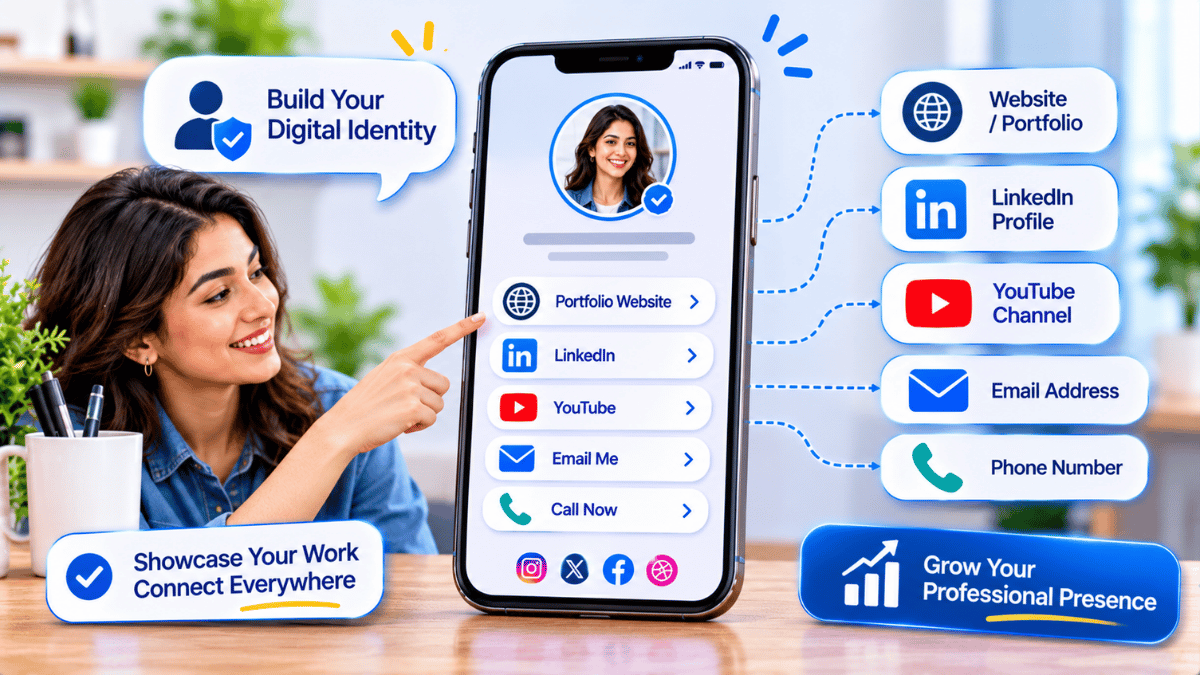
A single landing page — built with Carrd, Super.so, or a custom domain — can serve as your digital business card. List every important link and share one URL instead of juggling multiple addresses.
Give people one destination for your professional information.
Organize links into useful categories so visitors find what they need quickly.
Update links in one place instead of changing every profile individually.
Keep Your Information Updated
Set a recurring quarterly reminder to audit your digital footprint. Update job titles, remove outdated work samples, refresh your headshot every 1–2 years, and check that every link still works.
Audit
Tools like Notion, a simple spreadsheet, or a password manager can help you track every platform where you have a presence.
Automate Your Upkeep
Use tools like Zapier or IFTTT to automate suitable updates, such as sharing new portfolio pieces across platforms or updating your availability status where integrations permit.
Make Maintenance a Routine
Schedule quarterly 30-minute audits in your calendar. The strongest digital identities are not simply set up once — they are maintained as careers and professional interests evolve.
Your Digital Identity Is a System, Not a Single Profile
Invest in one central hub that links everything together, maintain consistency in your brand across all platforms, and revisit your presence quarterly. A polished, unified online identity works for you 24/7 — turning casual visitors into genuine opportunities.
Visit Signify