 Signify.ink

Digital networking has a security problem that most professionals don’t talk about: sharing your contact details is the entire point, and doing it safely is the entire challenge. A paper card exposes your phone number once and stays in someone’s pocket. A digital card, QR code, or NFC tap creates a digital artifact that can be scanned, screenshotted, forwarded, and indexed — for years. That is a different risk profile than paper ever had, and it is why the most useful question is no longer “is my data safe?” but “is the platform I’m using designed to protect it?” This guide covers the specific security and privacy risks of digital networking, what Signify does to mitigate them, and the habits that matter for professionals who network digitally.
The risks are not hypothetical. QR-phishing became one of the fastest-growing attack vectors of 2024–2025 — security researchers documented over 4 million malicious QR threats in that period, with roughly 12% of all phishing attacks containing QR codes. At the same time, digital card adoption continued to accelerate: an estimated 37% of small businesses and 60% of enterprise sales teams now use some form of digital business card. When those two trends collide, the professionals who understand the difference between a safe card and an unsafe one end up ahead. The rest become headlines.
Why digital networking has a different risk profile
A paper card is a physical object. When you hand it to someone, you give up one copy of the information on it, and the copy stays with them. A digital card is a URL. When you share it, you have not given up the data — you have created a permanent, forwardable, indexable reference to a live profile. That reference can be texted, emailed, screenshotted, posted in a group chat, or found by a search engine years later.
For most professionals, this is a feature, not a bug. The whole point of a digital card is that it stays current and stays reachable. But it means the security model has to be different from paper. You cannot “take back” a shared card. You can only make sure the profile behind it is designed with privacy controls — field-level visibility, search-engine indexing control, and password protection — so that the information you share is intentional.
The other structural difference is scale. A paper card reaches one person at a time. A digital card can reach a room in seconds via QR codes on tabletop signs, or an entire audience via a slide deck QR. That is efficient when everything is above board. It is dangerous when a single malicious QR code, hidden among legitimate ones, points visitors to a credential-harvesting page instead of a legitimate card.
The real threat: QR-phishing at events
The most significant security risk for digital networkers is not the card itself — it is the QR code that opens it. QR-phishing (sometimes called “quishing”) uses a QR code presented as a legitimate business card, event badge, or tabletop sign to redirect the recipient to a malicious page. When the recipient scans the code, they expect a contact download. What they get is a fake Microsoft login, a fake Google authentication screen, or a prompt to install a contact file (.vcf) that contains malware.
How the attack unfolds
The typical pattern: an attacker introduces themselves at a conference or networking event, offers to exchange digital cards, and displays a QR code on their phone. The target scans it, expecting a Signify-style profile. Instead, the code opens a page that looks like a Microsoft or Google login. The target enters credentials. The attacker captures them. In a more sophisticated variant, the QR code opens a contact file that silently installs malware and steals session cookies, which lets the attacker bypass even password-based security.
Why executives are targeted more
Security researchers have documented that C-suite executives and senior leadership receive roughly 40× more QR-phishing attacks than regular employees. The reason is simple: executive credentials open the door to more sensitive systems, higher-value contacts, and more significant financial authority. If you are a founder, partner, or senior leader, your QR-scanning behavior at events is a high-value target.
How to defend against it
The defense is not to avoid QR codes. It is to apply the same discipline you would apply to an email link.
- Check the destination URL before you interact. A legitimate Signify Smart QR code opens a public profile in a browser — it does not prompt you for a Microsoft, Google, or Apple password.
- Never enter credentials on a page reached by a QR code. If you scanned a code and land on a login prompt, close it. A real contact card never requires authentication to view.
- Be especially cautious with QR codes from strangers at events. If you don’t recognize the person or the organization, ask for a direct link or a paper card instead. A legitimate networker will not object.
- Verify the sender’s platform. Legitimate Signify cards always open on
signify.ink. If the URL is a lookalike (signify-link.com, signlify.ink, and so on), it is not Signify.
NFC risks: what is real vs. myth
NFC (Near Field Communication) is the technology behind the tap-to-share Signify card. It is also the source of the most exaggerated security claims in the digital networking space. It is worth separating the real risks from the folklore.
What is real
NFC cards can be read from a few centimeters away. That is the intended design — tap and share. In theory, a malicious reader with proximity to your card could read the URL it encodes. In practice, this is not a meaningful risk for Signify cards because the card encodes only a public profile URL, not your contact details directly. The URL is not sensitive; it is the same URL that would appear if you shared the card by other means.
Malicious NFC tags exist — an attacker can program an NFC sticker to open a phishing page or initiate a malicious action. The defense is the same as with QR codes: if the destination surprises you, treat it with suspicion. A real Signify NFC card always opens your profile, not a login page.
What is myth
“NFC can skim credit cards in your wallet.” Modern credit cards use EMV chips and tokenization, which are not exposed through NFC. The old “skim credit cards from a backpack” urban legend has not been documented in real-world fraud cases at meaningful scale. It is a persistent rumor, not a practical threat.
“NFC cards can be cloned to steal your identity.” Signify NFC cards encode a URL, not a private key. Cloning the card gives an attacker a copy of the URL — which is the same URL you share publicly when you tap the card at a conference. There is no “identity” in the card itself; identity lives in your Signify account, protected by password and 2FA.
The real protection
The protection for an NFC card is not physical — it is account security. If your Signify account is protected with two-factor authentication and a strong, unique password, a cloned NFC card cannot do anything an attacker could not already do by scanning a QR code. The card is a convenience, not a secret.
What happens to your contact data
When you share a digital card, the recipient receives a URL. When they save your contact, they download a VCF file that contains the details you have chosen to make public on your profile. Both are governed by the same principle: what you put on the card is what the recipient gets. There is no hidden layer, no shadow data, no server-side profile they can access that is not already visible on the card.
What the recipient can see
- Everything on your public profile: name, title, company, photo, links
- The VCF file (name, phone, email — whatever fields you have enabled)
- Whether you have viewed their card (on their end)
What the recipient cannot see
- Fields you have hidden via visibility controls (e.g., personal phone number)
- Your Signify password or account details
- Any contacts you have saved in your own account
- Your analytics or engagement data
The practical implication: before you share a card widely, review what is on it. Every field you add to your public profile is a field that anyone who scans your card can see. If you would not put a phone number on a website, do not put it on a digital card. Signify’s field-level visibility controls exist precisely so you can separate the “professional” you want to share from the “personal” you want to protect — the Privacy Policy documents how those controls work.
Show what you want
Professional email, LinkedIn, and portfolio are appropriate defaults. Personal phone and home address are not.
Hide what you don’t
Field-level toggles let you keep individual contact details private without removing them from your profile entirely.
Control search indexing
You can disable public search indexing so your card is shareable via link but not discoverable on Google.
Password-protect if needed
Premium plans let you add a password to your card — the strongest visibility control available for sensitive profiles.
Account security: 2FA and password managers
The single most important security action for any digital networker is protecting the account that holds your card. If someone gains access to your Signify account, they can edit your profile, redirect your links, and impersonate you. Account compromise is a bigger practical risk than any individual QR or NFC attack.
Enable 2FA on every account
Signify supports two-factor authentication via SMS or authenticator apps. Turn it on. 2FA is the single most effective account-protection measure available: even if someone obtains your password through a breach or phishing, they cannot log in without the second factor. If you are a founder, executive, or anyone whose network is valuable, 2FA is not optional — it is the baseline.
Use a password manager
A password manager generates and stores a unique password for every account, so a breach on one service does not compromise the others. The most common account compromise vector in 2024–2025 is credential stuffing — attackers take a password from one data breach and try it on other services. If you reuse passwords, one breach becomes many.
Recognize credential harvesting
Most phishing attacks do not try to steal a password directly — they try to get you to enter it on a fake page. The URL might look plausible, the page might look identical to the real one, but it exists to capture your credentials. The defense is the same as QR safety: check the URL before entering a password, and always navigate to a login page by typing the address rather than clicking a link.
What Signify does to protect you
Platform security is not visible by default — you have to look for it. Signify publishes its security measures on the Security Policy page, and they are worth understanding because they define what the platform actually protects you against.
Encryption and infrastructure
Data is encrypted in transit with TLS 1.2+ and at rest with AES-256. Signify hosts on infrastructure that holds ISO 27001, ISO 27017, and SOC 1/2/3 certifications — the same infrastructure used by major financial and healthcare platforms. Backups are encrypted and tested regularly.
Access control and monitoring
Internally, Signify applies a zero-trust access model — least-privilege access, multi-factor authentication for employees, and role-based permissions. Sensitive systems are monitored continuously for anomalies, and privileged access is logged. This is not a marketing claim; it is the operational posture documented in the Security Policy.
Privacy controls for users
The controls you have as a user are the most important part of the security model, because they determine what appears on your public profile. Signify supports:
- Field-level visibility toggles — hide individual contact details from your public profile.
- Search indexing control — prevent your card from being indexed by search engines.
- Password protection — on premium plans, require a password to view your card.
- Remote logout — invalidate your session from any device.
- 2FA — via SMS or authenticator app.
Data handling
Signify’s Privacy Policy states plainly that data is not sold to advertisers, marketers, or data brokers. It is compliant with GDPR, CCPA/CPRA, and other regional regulations, with processes for access, correction, and deletion. For enterprise deployments, these documents are the ones IT and legal will want to review before rollout.
The habits that matter most
Platform security is necessary but not sufficient. Your own habits determine how much of that protection applies to you. These are the practices that consistently matter most for professionals who network digitally.
Review before you share
Before you scan your card at an event or post it publicly, look at what is on it. Every field on your public profile is visible to every recipient. If you would not put it on a business card, do not put it on your digital card.
Keep your card current
A card that lists an old phone number or a former company is not just inconvenient — it is a security risk, because it directs people to old contact channels that may no longer be under your control. Update your card whenever your details change.
Use 2FA everywhere
Signify. Your email. Your LinkedIn. Your bank. 2FA is not a Signify feature; it is a baseline for professional digital life. Enable it on every account that could be used to impersonate you.
Verify QR destinations
If a QR code from an unfamiliar contact opens a login page or prompts a download, close it. If it opens a public profile, that is what a legitimate digital card looks like. This one habit neutralizes the vast majority of QR-phishing attacks.
Be deliberate about public vs. private
Use field-level visibility controls to separate professional contact information from personal. If your card is intended for public sharing, hide personal phone numbers and addresses. If it is intended for a specific audience, use password protection or disable public indexing.
Audit your digital footprint annually
Search your own name once a year. See what comes up. If old accounts, old cards, or old profiles appear, update or remove them. A professional reputation is built over years and can be undermined by a forgotten profile that still lists an outdated role or an old phone number.
Managing your professional digital footprint
Your digital footprint as a professional is the sum of every public trace you have left online: LinkedIn profiles, company pages, social accounts, articles, digital cards, QR codes, and any document or forum post that has been indexed by a search engine. For a professional networker, that footprint is both an asset and a liability — it is what makes you findable and also what makes you exposed.
What is in your footprint
- Active footprint: things you have deliberately published — your LinkedIn, your company bio, your digital card, articles you wrote.
- Passive footprint: things that have been collected about you — data brokers, tracking pixels, aggregated contact databases, data you entered on a form years ago.
Why it matters for networkers
A professional with a clean, current footprint is easier to trust. A professional whose footprint contains outdated contact details, an old job title on a forgotten platform, or a data broker listing with personal information is harder to verify and harder to reach safely. Your footprint is part of your professional brand — and part of your security posture.
What to do about it
Three habits make a meaningful difference. First, keep your primary profiles current — Signify card, LinkedIn, company bio. Second, close old accounts — old forums, old apps, old newsletters you no longer use. Third, opt out of data brokers where possible; services like DeleteMe, Kanary, and manual opt-outs through the Digital Advertising Alliance can reduce your passive footprint significantly. For most professionals, this is an annual one-hour task that pays back for years.
Security for teams and enterprises
Enterprise deployments add a governance layer that individual cards do not have. Signify Teams supports role-based access control, centralized seat management, and organization-wide analytics, all of which reduce the security and privacy risks of deploying digital cards at scale.
What changes at enterprise scale
- Centralized templates — administrators lock the branding and required fields, so employees cannot accidentally expose personal data on a company card.
- Role-based permissions — owners, admins, managers, and members have different access levels, and privileged actions are audited.
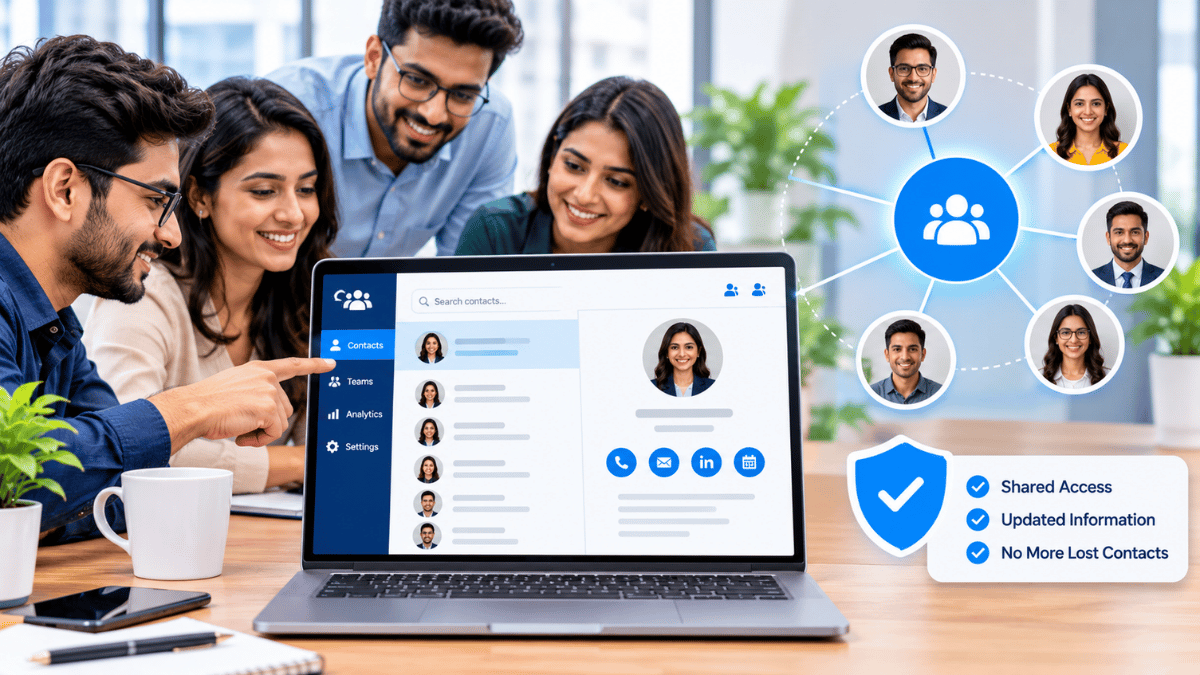
- Shared contact governance — contacts captured by any employee are visible to the organization, with controlled access levels.
- Compliance posture — enterprise buyers can review the Security Policy, Privacy Policy, and Responsible Disclosure process before rollout.
For organizations using Signify’s CRM integration, contact data flows into the CRM through encrypted channels and re-syncs automatically when details change. For organizations managing public-facing pages, the Business Brief can be configured so that only approved contact details appear. The pricing page covers team plan availability.
Frequently asked questions
Is it safe to use a digital business card?
Yes — if the platform is built for security. Signify encrypts data in transit with TLS 1.2+ and at rest with AES-256, hosts on ISO 27001/27017 and SOC 1/2/3 certified infrastructure, and provides field-level privacy controls, 2FA, and remote logout. The Security Policy documents the full set of measures. The bigger risk is not the platform — it is the QR code you scan from a stranger, which is why QR-phishing awareness matters.
Can someone steal my identity by scanning my Signify card?
No. A Signify card opens a public profile containing the information you have chosen to make visible. It does not expose your password, account details, saved contacts, or any private data. Identity theft requires compromising your account, which is why 2FA and a unique password are the strongest defenses.
Is NFC card skimming a real risk?
For Signify NFC cards, the risk is minimal — the card encodes a public profile URL, not private credentials. The widely-circulated “skim credit cards in your wallet” story is largely myth; modern cards use tokenization that is not vulnerable to proximity reading. The practical defense for NFC cards is account security: 2FA and a strong password protect against any theoretical card-cloning scenario.
What is QR-phishing, and how do I avoid it?
QR-phishing uses a malicious QR code (often presented as a business card) to redirect you to a credential-harvesting page or a malware download. By 2025, roughly 12% of phishing attacks contained QR codes. The defense is to check the destination URL before interacting — a legitimate Signify QR code opens a public profile and never asks for a Microsoft, Google, or Apple password.
Can I hide some of my contact details?
Yes. Signify supports field-level visibility controls so you can choose which details appear on your public profile. You can share your professional email and LinkedIn while keeping your personal phone number and address hidden. Premium plans add password protection for additional privacy.
Does Signify sell my data?
No. The Privacy Policy states plainly that Signify does not sell personal data to advertisers, marketers, or data brokers, and does not share it with third parties without consent.
What happens if I lose my phone?
Signify supports remote logout from any other device via the dashboard, which invalidates the session on the lost phone. Combined with 2FA, a lost device is a nuisance rather than a compromise — the thief still needs your second factor to access your account.
Should I use a VPN when networking?
A VPN is a good practice when networking on public Wi-Fi — at conferences, hotels, or cafés. It encrypts your connection end-to-end, which prevents man-in-the-middle attacks on unsecured networks. It is not strictly necessary for using Signify (which already uses TLS 1.2+), but it is a sensible general habit for travelers.
Is Signify Teams secure for enterprise use?
Signify Teams adds role-based access control, centralized seat management, and organization-wide governance on top of the individual card security model. Enterprise buyers can review the Security Policy, Privacy Policy, and Responsible Disclosure process. Organizations should still conduct their own vendor risk assessment before rollout.
What is the single most important thing I can do to stay secure?
Enable 2FA on every account that could be used to impersonate you — Signify, email, LinkedIn, banking. Account compromise is a far larger practical risk than any individual QR or NFC attack, and 2FA is the single most effective defense available.
Network digitally, with confidence
Use a digital card built on enterprise-grade security, with the privacy controls you need to share only what you intend.
Create your secure digital card