 Digital Card

The Digital Business Card Content Strategy: What to Link, What to Remove, and What to Prioritize
A better digital business card is not about adding more links. It is about choosing the right information, organizing it clearly, and helping every visitor find the next step that matters to them.
Introduction: Every Link Should Have a Purpose
A digital business card can connect people to websites, social accounts, portfolios, calendars, product pages, and other online resources. However, adding every available link can make the profile difficult to navigate.
An effective content strategy prioritizes the information that matters most to the intended audience. Each link should help visitors understand your professional identity, evaluate your services, or take a relevant action.
Start With the Visitor's Needs
Before adding links, identify who will view the card. Different audiences look for different information, so the most useful profile depends on the visitor's goal.
Use a Three-Level Content Hierarchy
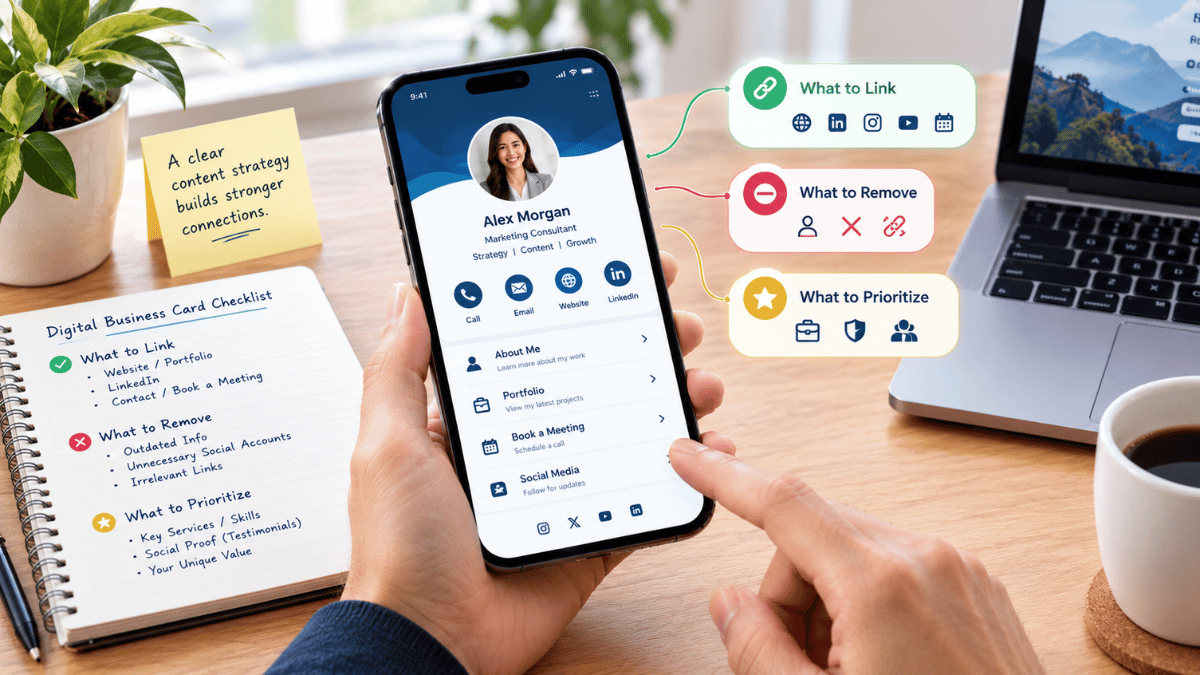
Organize the profile so visitors see essential information first, supporting resources next, and optional discovery links afterward. This creates a clearer path through the content.
Level 1: Essential Information
The core details visitors need to identify you and get in touch.
Level 2: Decision-Supporting Resources
Relevant information that helps visitors assess your work, services, and suitability.
Level 3: Additional Discovery
Optional destinations for visitors who want to explore further.
Remove Unnecessary Links
A shorter, more relevant selection of links can make a digital profile easier to navigate. Review each destination and remove anything that is outdated, duplicated, irrelevant, or no longer useful to your professional audience.
Choose One Primary Call to Action
A clear primary call to action helps visitors understand what to do next. Rather than giving every link equal prominence, choose the action that best matches your main professional objective.
Give Your Visitors a Clear Next Step
Select one main action for the intended audience. Other links can remain available without competing for equal attention.
For example, a consultant may prioritize booking a consultation, while a creative professional may lead with a portfolio. The right action depends on what visitors need and what you want the profile to help them accomplish.
Review Performance and Improve
Where analytics are available, use engagement data to understand which links attract attention and whether visitors are finding useful resources. Review performance in the context of your actual business objectives.
Check which important links receive engagement over a meaningful period.
Confirm that visitors can reach the intended destination and complete the relevant action.
Update, reposition, or remove links based on audience needs and observed results.
Compare engagement with meaningful outcomes, such as relevant inquiries or consultation bookings, when measurable.