 Digital Card

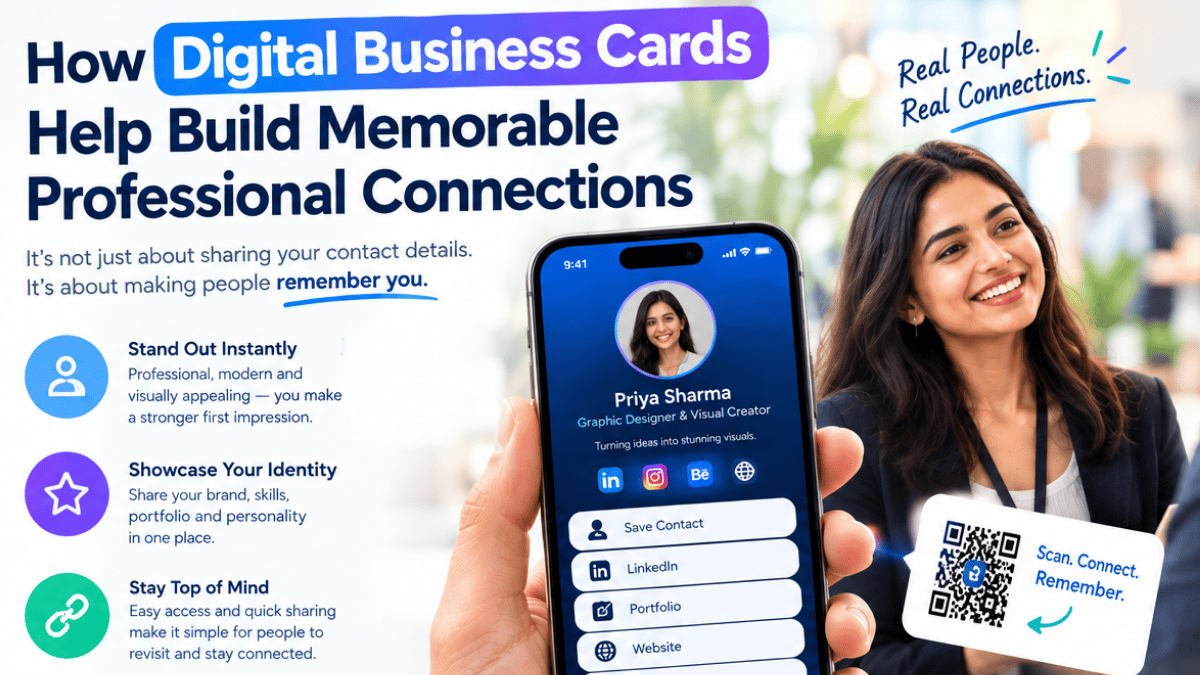
A handshake lasts three seconds. A paper card lives in a pocket for a week — then it’s gone. Memorability is the real currency of modern networking, and Signify digital business cards are engineered to be remembered. They personalize how you show up, reinforce your brand visually every time someone opens your profile, and put your contact details one tap away from a phone. This guide is about that specific advantage: how to use personalization, design, and consistent touchpoints to make every introduction stick — and how to avoid the trap of becoming just another name in someone’s contact list.
The networking problem most professionals don’t notice is that they lose the relationship after the exchange. Industry data cited on Signify’s digital business card page shows that 88% of paper business cards are discarded within a week — meaning the vast majority of introductions never become anything more than a 30-second conversation. Digital cards solve the logistics, but it’s the personalization and visual consistency they enable that actually builds recall.
Why memorability beats contact collection
Networking advice usually focuses on quantity: meet more people, collect more contacts, follow up with more prospects. But anyone who’s spent a week at a conference can tell you that collecting contacts is easy — being remembered after the event is hard. The person who walks away with 40 LinkedIn requests often ends up with zero meaningful follow-ups, because none of those 40 people actually remember who sent the request.
The shift from contact collection to relationship building is the defining change in modern networking. The Signify digital business card page puts it plainly: it’s not enough to exchange details anymore; the winner is the person who leaves a lasting impression. That’s a different skill — and it’s the one this article is about.
Memorability comes from a handful of inputs: distinct visuals, personalization, ease of access, and repeated low-friction exposure. A paper card can only deliver a fraction of these. A well-designed digital card can deliver all of them — if it’s set up with intent. The rest of this guide shows how.
Where paper cards lose the memory game
Paper cards aren’t bad because they’re old. They’re bad because they break the three conditions that make a connection memorable: distinctiveness, access, and repeated exposure.
Distinctiveness
Every paper card looks like every other paper card: rectangle, logo, name, title, phone, email. When 200 people hand you the same visual format at a conference, the brain stops encoding any of them individually. If you want to be remembered, you need a differentiator — and paper limits what that can be. A digital business card gives you the space for a photo, a clear headline, a visual theme, and a live link — all of which are meaningfully more distinctive than a rectangle.
Access
A paper card requires the recipient to do work: enter your number, search for your LinkedIn, find your website. Each extra step reduces the odds of follow-through. Digital cards put everything one tap away — and that means the contact is actually accessible when someone thinks of you later. Recall without access is just a nice memory.
Repeated exposure
Memories consolidate with repetition. A paper card gives you exactly one exposure and then disappears. A digital card can be re-encountered through an email signature, a link in a calendar invite, a website widget, or a saved browser bookmark — each of which reinforces the memory without requiring a new handoff.
The result is the familiar pattern: you meet someone interesting at a conference, exchange paper cards, and never hear from each other again. The problem isn’t that they didn’t like you — it’s that the paper card gave them no reason or mechanism to remember you. An online business card gives them both.
What actually makes a professional connection memorable
Behavioral research on memory gives us a shortlist of what makes one connection stick while another fades. Digital cards support four of the strongest levers.
Personalization
A card that feels specifically you — photo, voice, brand colors, custom bio — is remembered as a person, not a category.
Visual distinctiveness
Consistent colors, imagery, and structure help the brain encode the profile as a single recognizable object.
Zero-friction access
One tap to save contact, one tap to follow up. The easier it is to act on a memory, the more likely it survives.
Repeated micro-exposure
Email signatures, saved links, and shared boards create repeat encounters — and repetition converts impressions into recall.
The strongest digital cards work on all four at once. A well-designed profile is visually distinctive, feels personal, is one tap away, and gets re-seen through follow-up channels. That combination is what turns a handshake into a memory — and a memory into a relationship.
Design and personalization: your visual hook
A digital card gives you a visual canvas that paper can’t match. Used well, that canvas is the single most powerful tool for making yourself memorable at scale.
Choose a theme that reflects your personality
Signify offers several theme styles — Canvas, Slate, and others — that change the structural feel of your card. A consultant might want a clean, restrained layout. A designer might want something more expressive. A founder might want something that pairs a strong photo with a bold tagline. The goal isn’t to be flashy; it’s to be recognizable. When someone sees your card again weeks later, they should recognize it before they read your name.
Add a high-quality photo
Faces are remembered far better than names, titles, or logos. A clear, current, well-lit profile photo turns your card from an abstract profile into a person the recipient can recall. Use a photo you’d be comfortable showing a client — not a cropped group shot, not an old conference photo. The digital business card page recommends a 512×512 crop for profile pictures, which is the size the card is designed to display.
Write a short, specific bio
“CEO at Company” is forgettable. “I help B2B SaaS founders turn cold outbound into warm pipeline” is memorable. Your bio is your one-line elevator pitch, and it should give the recipient something concrete to remember you by. Aim for a single sentence, not a paragraph.
Layer in the right links
More isn’t better. A card with 12 links is a phone book; a card with 4 well-chosen links is a conversation starter. Pick the channels where a new contact would actually want to find you: LinkedIn, a calendar booking link, a portfolio or website, and one messaging channel. A smart QR code embedded on the card makes it shareable in person, and an email signature extends it into every follow-up.
Keep your information current
A card that says “VP of Marketing” when you’re now “Head of Growth” undermines trust exactly when you’re trying to build it. One of the structural advantages of digital is that you can update the profile once and every saved copy reflects it — but that only works if you actually keep it updated. Review your card each time your role, company, or contact details change.
Consistency across touchpoints
Memory is reinforced by repetition of the same signal. Every time a contact encounters your brand in the same visual and verbal language, the association strengthens. This is why marketing teams fight so hard for brand consistency — it’s not aesthetic preference; it’s recall engineering.
Digital cards make this kind of consistency cheap. Once your card is set up, it can be embedded in:
- Email signatures — every outgoing message carries your card’s visual language through Signify’s email signature integration.
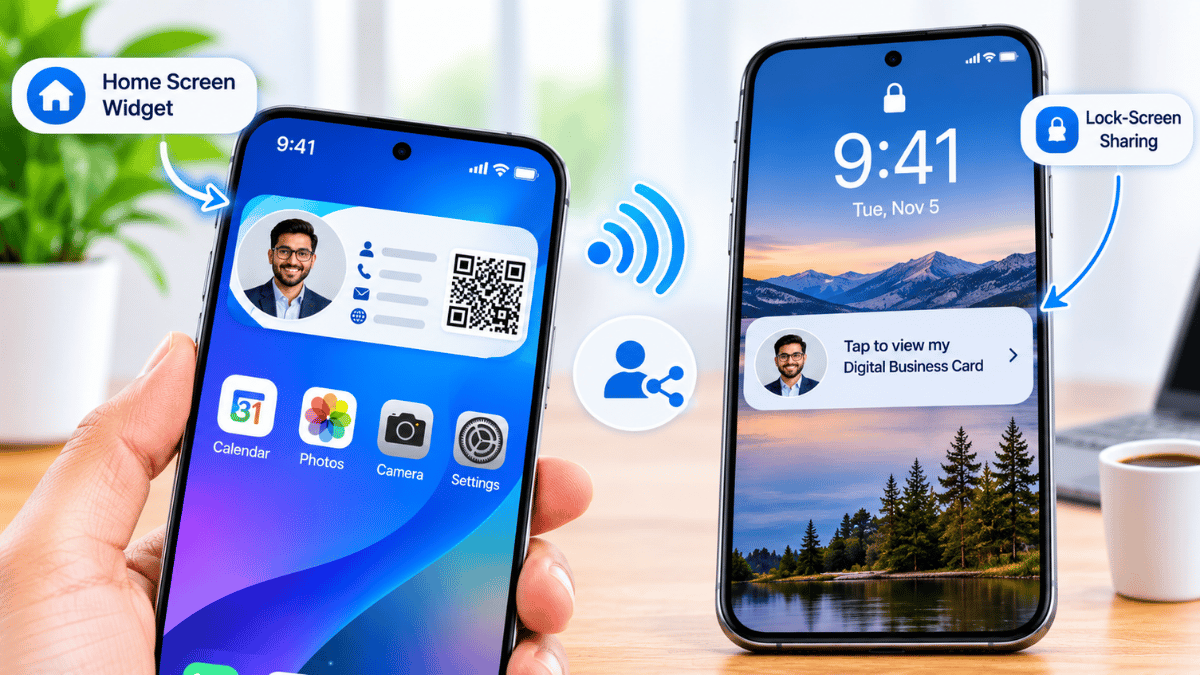
- Website and portfolio widgets — a Signify widget puts your card on the pages where people already look for you.
- Meeting invites and follow-up emails — one link, same visual identity, every time.
- Printed NFC cards — a Signify NFC card carries the same colors and logo in physical form, bridging the digital and tactile experience.
The result is that your contact sees your brand multiple times without you having to hand anything over. Each of those exposures is a small reinforcement — and small reinforcements are how memory works.
First impressions in the first five seconds
Most research on first impressions focuses on how quickly people form judgments — often in seconds. A digital card front-loads a lot of that impression into the exact moment of introduction, because the recipient sees your full profile within the first few seconds of meeting you.
Three practical things drive the first impression a digital card creates:
Instant visual professionalism
A polished, well-designed card signals that you take your work seriously and that you’re comfortable with modern tools. That’s a small but real credibility signal in an industry where trust is built fast.
Specificity
Generic profiles read as “interchangeable.” Specific bios — specific role, specific industry, specific service — make a person memorable because they give the brain something concrete to encode. “I run partnerships at Signify” is memorable; “professional at a networking company” is not.
Immediate next step
A card with a clear next step — book time, view portfolio, connect on LinkedIn — converts a first impression into an action. Memory is much stronger when it’s attached to an action the recipient actually performed. This is why one-tap saving, direct links, and calendar integrations matter so much: they turn the introduction into a small, memorable behavior.
The memory science behind repeated micro-touchpoints
Cognitive psychology’s spacing effect is simple: information encountered multiple times, spaced out, is remembered better than the same information encountered once for a longer period. This is why advertising works with repetition and why a single networking interaction rarely leads anywhere meaningful.
A digital card is essentially a spaced-exposure tool. Every time a contact encounters your profile — through a saved link, an email signature, a shared document, a calendar invite — your brand gets another small reinforcement. Paper cards give you exactly one exposure and then go into a drawer. Digital cards keep working.
This is also why Signify Teams matters for organizations: a well-designed team template means that every employee’s card reinforces the same brand every time any of them shares it. Over hundreds of introductions, that consistency produces brand recall at a scale that no individual effort can match.
The practical takeaway is straightforward: stop treating a card as a one-off exchange, and start treating it as a repeat-exposure instrument. Every touchpoint after the first handshake is an opportunity to be remembered again — and those opportunities are free once the card exists.
Memorable, consistent team presence
For an organization, memorability isn’t a solo performance. Each employee’s card is a data point in the company’s overall reputation. If ten people from the same company show up at a conference with ten different designs, ten different color schemes, and ten different tones, none of them reinforces the others — the brand impression is diluted.
Signify Teams addresses this directly:
- Branded templates — consistent design language across every employee’s card, so the company’s visual identity is reinforced on every share.
- Centralized updates — when your logo or brand colors change, the change propagates across the team.
- Shared company contacts — a single source of truth for contacts saved by any team member.
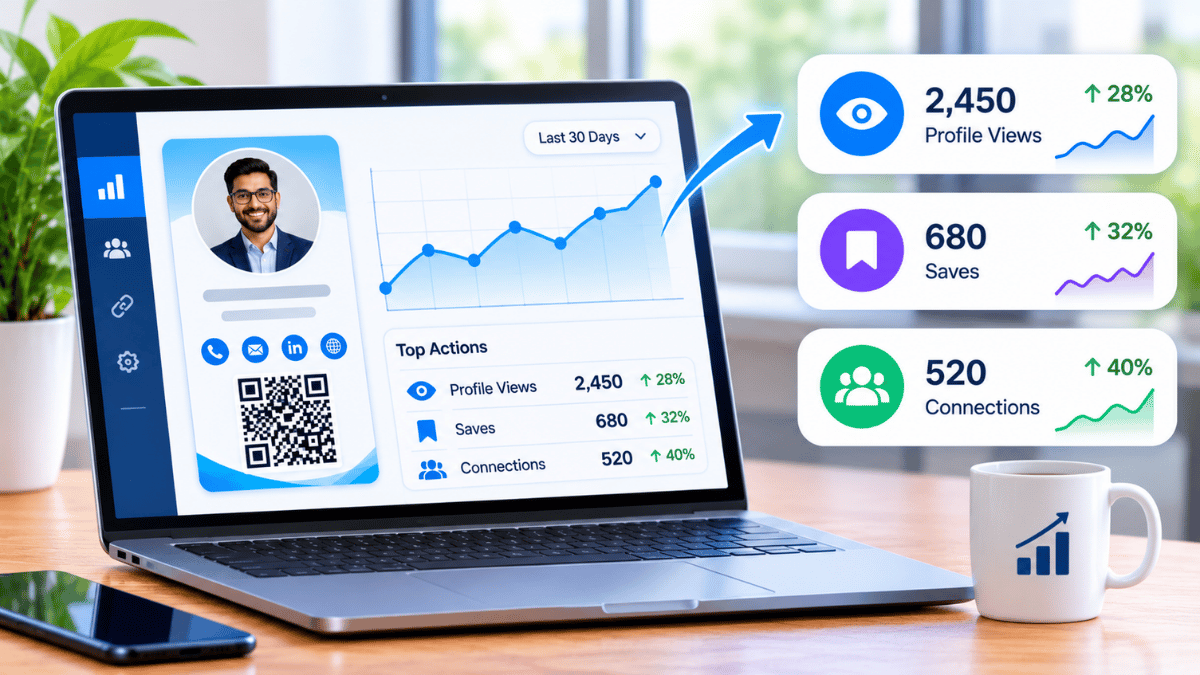
- Team analytics — see which introductions led to engagement, at a company level.
- CRM integration — contacts sync automatically so follow-up doesn’t depend on any individual remembering to export a list.
For organizations that also maintain a public-facing page, Business Brief extends the same logic to the company level — a single branded destination that reinforces the same visual and verbal identity. Together, Signify Teams and Business Brief produce the kind of layered, repeated exposure that converts an occasional conference conversation into a recognized brand.
The Signify pricing page has the current plans for individuals and teams, including the free tier for individuals and per-seat pricing for teams.
Best practices for memorable networking
These are the habits that separate a memorable digital networker from someone who just has a nice card.
- Design the card around a specific impression. Decide what you want to be remembered for — the specific service, expertise, or personality trait — and let your photo, bio, and theme support that impression. A card that tries to convey everything conveys nothing.
- Use a clear, current photo. Faces are remembered far better than names. A recognizable photo makes the entire profile more memorable — even months later.
- Keep your bio specific. One sentence, with a specific verb and a specific audience, beats three sentences of generic professional description.
- Choose three or four links, not ten. More options means more decision paralysis. Pick the channels where you actually respond.
- Extend the card into your email signature. This is the single highest-ROI move for most professionals. A Signify email signature puts your card in every message you send, which means every follow-up is another chance to be remembered.
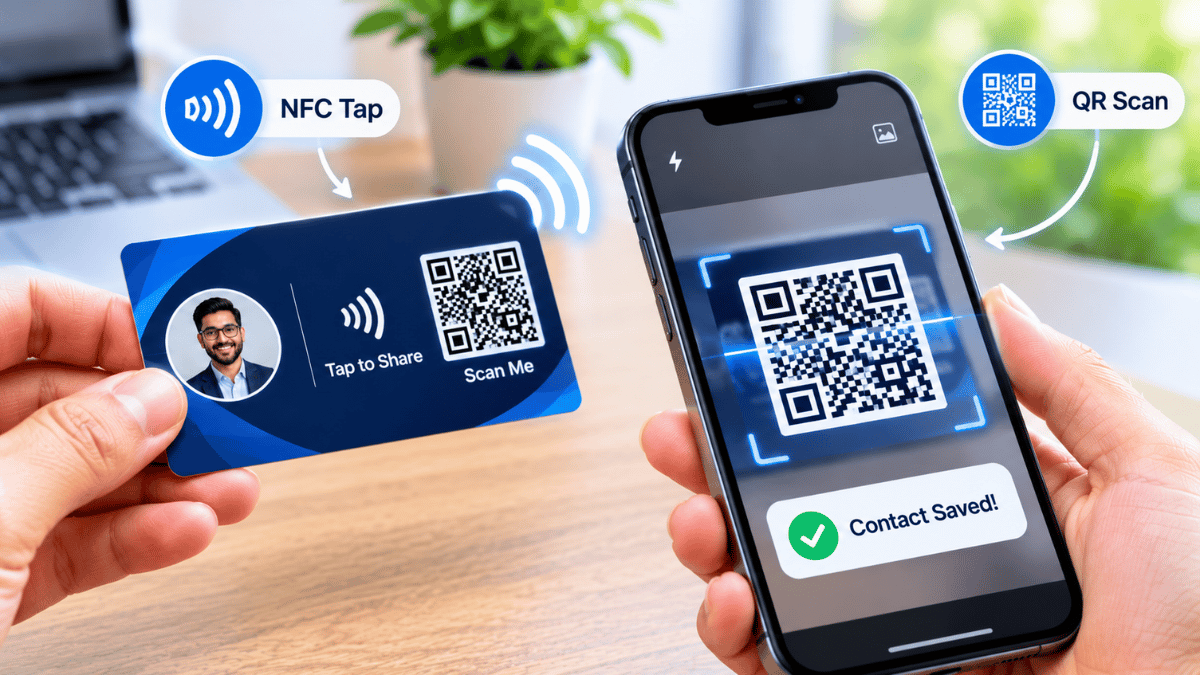
- Use NFC for in-person, QR for events, link for async. Matching the sharing method to the moment makes the interaction feel natural — and natural interactions are more memorable.
- Review analytics quarterly. Look at views and saves to see which introductions actually led somewhere. Use that to double down on the channels that produce engagement.
- Update your card before every significant professional change. Role changes, promotions, company moves — update the card before you share it again. A stale card is a missed opportunity to reinforce the new identity.
For related reading on making the most of a digital card, the Signify Insights library has step-by-step guides for first-time card creation, advanced email-signature setup, and travel-ready sharing.
Frequently asked questions
What makes a digital business card memorable?
Four things: personalization (a card that clearly feels like you), visual distinctiveness (a recognizable photo, theme, and layout), zero-friction access (one tap to save and follow up), and repeated exposure (seeing your profile again through email, links, or shared boards). Signify supports all four.
Can I personalize the design of my Signify card?
Yes. Signify offers multiple theme styles, profile photo uploads, and layout options that let you match your card to your personal brand or your organization’s visual guidelines. Team templates enforce consistency for organizations.
Do recipients need an app to view my card?
No. Your card opens in a standard web browser on any smartphone, tablet, or computer. That’s a key factor in memorability — a recipient who doesn’t have to download anything is a recipient who actually views the card.
Should I use a photo on my digital business card?
Yes, if you’re comfortable with it. Faces are remembered far better than names or titles, so a clear, current profile photo dramatically increases the chance that someone recalls you later. Use a professional, well-lit photo — not a group shot, not an old conference photo.
How do I share my card in person?
Three ways: NFC tap (fastest, requires a Signify NFC card), Smart QR code (universal — works with any phone camera), or a direct link via text or messaging app. Most professionals keep at least two methods available.
Can I update my card after sharing it?
Yes. Update the profile once, and everyone who has saved your card will see the latest version when they reopen it. No reprints, no need to resend links. Keep the card current so the memory your contacts have reflects your current role.
How does this help teams stay memorable?
Signify Teams enforces a consistent visual identity across every employee’s card. When ten people from the same company all share the same brand language, the company itself becomes more recognizable — because every introduction reinforces the last one.
Is Signify free to start?
Yes. Signify offers a free tier for individual professionals that covers core card creation, sharing, and basic analytics. Paid plans add more cards, custom branding, and team features. See the pricing page for current details.
What’s the first step to making my card memorable?
Decide what you want to be remembered for — a specific service, expertise, or personality trait — then design the card so that photo, bio, theme, and links all reinforce that one impression. Create your free Signify card to get started.
Can I use Signify alongside paper cards during the transition?
Yes. Many professionals carry a Signify NFC card as a physical touchpoint while sharing the same profile digitally. The card is handed over as usual — the tap or scan opens the live digital version, combining the tangible feel of a card with the advantages of a dynamic profile.
Make your next introduction impossible to forget
Build a Signify digital card that’s personal, distinctive, and one tap away — so the next conversation turns into a relationship that lasts.
Create your free digital card