
QR Code Business Cards for Restaurants: Connecting Customers With Menus, Events, and Business Contacts
Help restaurant owners and managers build valuable professional relationships with a shareable digital profile that keeps important business information accessible.
Digital Connections Beyond the Dining Table
Restaurants build relationships with food suppliers, event organizers, corporate customers, local businesses, and hospitality professionals. A digital business card gives restaurant owners and managers a convenient way to exchange professional details.
Restaurant networking is not only about serving guests. It is also about building the professional relationships that help a business grow.
Where Digital Cards Fit Into Restaurant Operations
A single professional profile can be useful across different business conversations, from sourcing supplies to exploring new partnerships.
Supplier & Distributor Meetings
Exchange contact details with food suppliers, distributors, and service providers.
Catering & Corporate Bookings
Give corporate customers and event organizers a clear route for business inquiries.
Hospitality Events
Share professional information at exhibitions, trade shows, and industry events.
Local Business Partnerships
Connect with nearby businesses to explore collaborations and joint promotions.
Restaurant Groups & Franchises
Help owners, managers, and teams exchange consistent business information.
Long-Term Connections
Make it easier for professional contacts to find the right person after a meeting.
What Should a Restaurant Business Profile Include?
A useful profile should make it easy for professional contacts to identify the restaurant, understand its services, and reach the appropriate person.
-
Restaurant Name Use the correct business or restaurant group name.
-
Location Include the relevant branch address or business location.
-
Official Website Link to the restaurant's main website or business information page.
-
Business Contact Details Provide appropriate contact information for professional inquiries.
-
Catering Information Explain catering services and provide a relevant inquiry link when available.
-
Social Profiles Connect visitors to the restaurant's official social media accounts.
-
Relevant Inquiry Links Make it easy to ask about events, partnerships, corporate bookings, or other services.
QR Codes for Professional Interactions
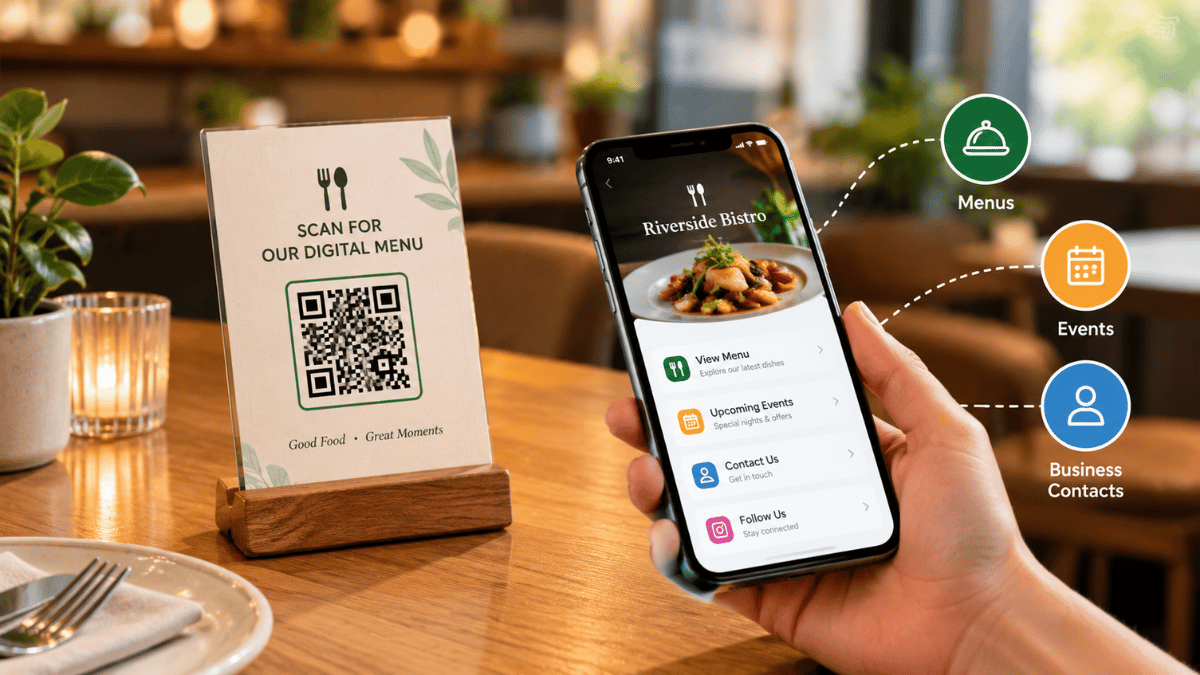
A QR code can connect a printed or displayed item to a restaurant's digital business profile, reducing the need to type contact details manually.
Display QR Codes on Business Materials
Include a link to the digital business card on business documents, event materials, professional presentations, or networking handouts.
Make Contact Details Easy to Access
Let partners scan the code to open the profile and find the restaurant's professional contact information and relevant links.
Support In-Person Networking
Owners and managers can share their profile during supplier meetings, hospitality events, and partnership discussions.
The QR patterns shown here are decorative illustrations, not functional codes. Replace them with a real QR code linked to your digital business profile.
A Networking Card Is Not the Same as a Menu QR Code
Both use QR technology, but they serve different audiences and purposes. Keeping that distinction clear helps restaurants choose the right destination.
Digital Business Card
Designed for owners, managers, suppliers, partners, event organizers, and other professional contacts.
- Professional contact details
- Company website and social profiles
- Catering and business inquiry links
- Information for future collaboration
Customer-Facing Menu QR Code
Designed primarily for diners who want to browse food and beverage options or access restaurant services.
- Food and beverage menus
- Menu descriptions and prices
- Ordering or table-service links
- Customer-facing restaurant information
Remember: A business networking QR code should open the professional profile, while a menu QR code should lead customers to the menu or dining experience. A restaurant can use both without confusing their purposes.
Keep Information Accurate
A digital profile is most useful when its details remain reliable. Restaurant locations, booking links, operating details, and business contact information should be reviewed regularly.
When details change, update the profile and check that important links still direct visitors to the correct destination.
Regular Profile Review
Build Stronger Hospitality Connections
Digital business cards can help restaurant operators build supplier relationships, explore partnerships, and manage professional introductions more efficiently. They extend a restaurant's digital presence beyond its customer-facing website and menu.