 Signify.ink

Your digital presence has never been richer. A LinkedIn profile, a portfolio, a personal site, a curated Instagram, a calendar booking tool, a handful of case studies, and the ability to reach you through any of half a dozen channels. And yet — when you meet someone in person at a conference, a client dinner, or a coffee shop, the tool you reach for to represent all of that is a 3.5-inch piece of cardstock that carries your name and phone number. The gap between the digital and the physical moment is the gap this article is about, and digital business cards — specifically the Signify flavour of them — are the bridge.
The term “digital card bridge” is not a slogan. It describes a specific structural problem in professional life: we have invested decades in building a sophisticated online identity, and almost nothing in the equivalent for the physical moment of introduction. That asymmetry means that when we meet someone in the real world, we are effectively trading the richest version of ourselves for the poorest. The result is that most meaningful introductions end with a paper card, a phone number read aloud, or a LinkedIn search a few hours later — three of the least efficient ways to transfer contact information in the digital age.
The modern networking gap
Walk into any professional conference and count the tools you can use to introduce yourself. Almost everyone will be carrying a stack of paper cards, and almost everyone will be using some version of the same ritual: hand over the card, exchange pleasantries, add each other on LinkedIn, and hope for the best. The ritual works, but it produces an outcome far short of what the digital world has trained us to expect.
The gap shows up in four specific places. Each one is a small failure of the physical introduction to match what the digital presence has made possible.
Paper is static, your presence isn’t
A paper card captures one moment in time. Your LinkedIn, your portfolio, and your professional focus keep evolving. The card is obsolete before it’s printed.
Paper doesn’t link anywhere
A paper card lists a name and number. It doesn’t connect to the depth of your actual professional presence — the work, the writing, the case studies.
Follow-up friction kills momentum
Even when the card survives the week, the follow-up depends on manual entry. Most professionals never do it — not because they don’t care, but because the friction is enormous.
The environmental cost is real
Approximately 10 billion paper business cards are printed globally each year, and roughly 88% are discarded within a week. The waste is systemic, not incidental.
What makes this gap distinctively modern is that none of these four problems existed at the same scale ten years ago. LinkedIn, personal sites, and portfolio tools have made professional identity substantially richer. Paper cards, meanwhile, have been essentially unchanged for four centuries. The gap between the two has widened, not because the card got worse, but because everything else got better.
Why paper cards fail the digital-native handshake
It is tempting to frame the paper card as a nostalgia object — a piece of branding with aesthetic value that the digital card doesn’t quite replace. There is some truth to that. But the structural problem is more specific: paper cards were designed for a world where the physical introduction was the only introduction. They do not transfer well to a world in which the digital introduction has become the primary one.
Three properties paper cannot carry
- Links. A paper card can’t take you anywhere. A digital card can take you directly to a portfolio, a booking calendar, a LinkedIn profile, a case study, or an introduction video — all in one click.
- Freshness. A paper card that says “Senior Manager” stays that way when you become “Director.” A digital card updates once and reflects the change everywhere it has been shared.
- Analytics. A paper card gives you zero information about who looked at it or acted on it. A digital card tells you when someone viewed your profile, when they saved your contact, and what they clicked — the first real feedback loop in the history of professional networking.
The cumulative effect of these three properties is what turns a networking interaction from a one-off event into a durable asset. A paper card is an invitation to do more work later. A digital business card is a small but complete handoff — the exchange happens then and there, at the moment of maximum interest, without requiring either party to remember or to follow up later.
The digital card bridge, concretely
The “bridge” metaphor is useful because it captures the two-sided nature of the problem. On one side is your digital presence — LinkedIn, portfolio, social, writing, work. On the other side is the physical moment of meeting someone. The bridge is the tool that lets a professional cross from one side to the other without dropping their bag in the river.
How the bridge actually looks
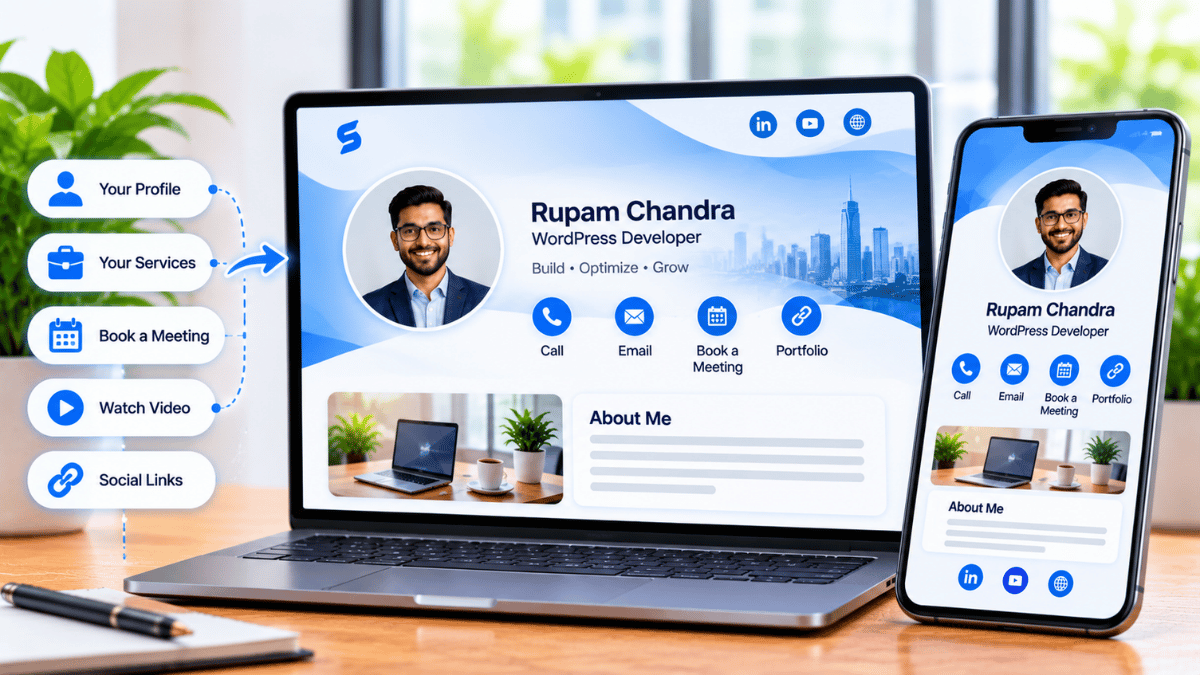
A Signify digital business card is a live, browser-hosted profile that opens when someone taps an NFC card against their phone or scans a QR code. The profile contains your name, role, photo, and any links you choose — LinkedIn, portfolio, website, booking link, personal messaging. It is shareable in under a second, opens without an app on the recipient’s device, and updates instantly when your details change.
The physical side of the bridge matters too. For professionals who value a tactile introduction — a real handshake and a real object — Signify offers an NFC card that feels like a premium paper card but carries a digital payload. You hand it over like a traditional card; the recipient taps it against their phone; the profile opens in a browser. The whole interaction is one continuous gesture, but it delivers a complete professional identity instead of a rectangle of information.
What the recipient gets
From the recipient’s perspective, the experience is:
- One tap or scan — no app, no account, no manual entry.
- A live profile — with your current role, photo, and links.
- A save-to-contacts button — one tap and you’re in their address book.
- An optional lead-capture form — they can share their details back if they want to.
- A follow-up path — a booking link, LinkedIn, or direct message.
That is what a bridge looks like when it works. The person on the other side arrives at your digital presence with context — they just met you, they just saw your photo, they just scanned your profile — and the follow-up is anchored in that fresh memory.
Three steps to cross the bridge
The bridge is only useful if it’s easy to build. Signify’s setup is intentionally simple, and most professionals can complete it in under ten minutes. Here’s what it looks like.
Step 1 — Create the card
Sign up and open the card editor via Create a Card. Add your name, title, company, profile photo, and — most importantly — the links you actually want people to visit. LinkedIn, portfolio, a booking link, and one messaging channel is usually the right set. A card with four strong links outperforms a card with twelve.
Step 2 — Choose your sharing method
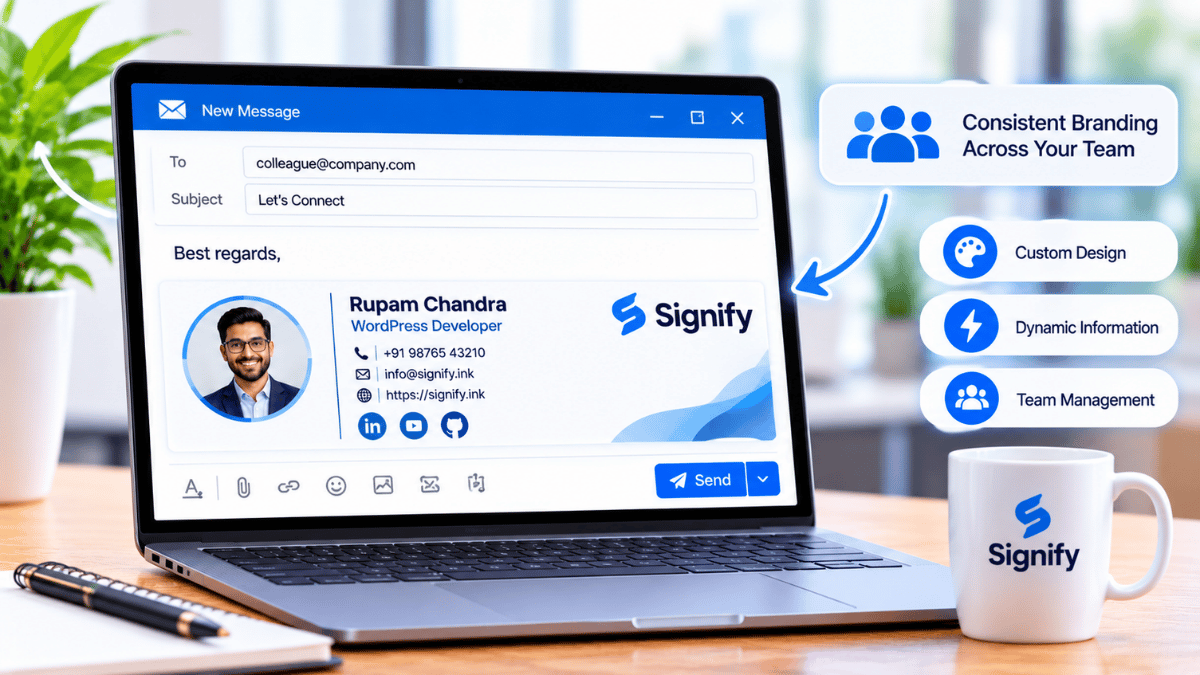
Signify supports four sharing methods, and the right set depends on your context. If you do a lot of in-person networking, pair the digital card with an NFC card for tap-to-share. If you’re at events with printed materials, the dynamic QR code is a universal fallback. If your networking happens largely over email, a Signify email signature puts your card in every outgoing message. Most professionals end up using at least two of these.
Step 3 — Test on a device that isn’t yours
This is the step most people skip, and it’s the one that matters most. Scan your own QR code with a phone that isn’t yours. Tap your NFC card against a device that isn’t yours. Confirm that the profile opens, the important links work, and the save-contact button behaves as expected. A two-minute check before your next event prevents the single most embarrassing failure mode: a card that doesn’t open at the exact moment you need it.
For teams, Signify Teams adds a shared template layer, so every employee’s card looks like it belongs to the same organization without requiring central design work. The pricing page covers team plan details.
Using the bridge with LinkedIn
The bridge is most useful when it hands the recipient somewhere specific. For most professionals, that somewhere is LinkedIn — the profile that carries the full professional narrative the card can only sample. The workflow is simple: add your LinkedIn URL as one of the links on your Signify card, and the recipient can click through to your full profile in a single step.
This pairing solves a problem that neither tool solves on its own. LinkedIn shows your professional story but doesn’t help you capture a contact at a conference. Signify captures the contact instantly but doesn’t host the professional narrative. Together they cover both: Signify for the handshake, LinkedIn for the relationship. The Signify Insights library has a full article on the Signify + LinkedIn workflow if you want the deeper version.
NFC, QR, or both?
Most professionals eventually ask whether they need an NFC card, a QR code, or both. The honest answer is that it depends on the kind of networking you do, but the default recommendation is both — because each covers a scenario the other doesn’t.
| Scenario | NFC card | QR code |
|---|---|---|
| One-to-one introduction | Best — one tap, immediate | Works, slightly slower |
| Tabletop sign at an event | Not applicable | Best — anyone can scan |
| Printed materials (badges, flyers, slides) | Not applicable | Best — the only format that works on print |
| Recipient’s device lacks NFC | Fallback to QR | Works universally |
| Hands-full or awkward situations | Best — no pointing required | Requires camera aim |
The practical setup most professionals end up with: an NFC card in the wallet for one-to-one meetings, plus a dynamic QR code printed on conference materials and embedded in the email signature. Between those two surfaces, every realistic sharing scenario is covered. Neither is expensive, and the redundancy eliminates the failure mode of a card that doesn’t work at the worst possible moment.
The sustainability case
The environmental argument is not the strongest argument for switching — that is the conversion and analytics improvement that digital cards deliver — but it is the argument that most reliably converts an ESG committee into a champion of the change. And for organizations with published sustainability commitments, the case is straightforward.
Approximately 10 billion paper business cards are printed globally each year, and the industry consumes an estimated 7.2 million trees annually. Because 88% of cards are discarded within a week, most of that resource consumption produces no lasting connection — a rare instance where the environmental and the operational arguments point in exactly the same direction.
A Signify virtual business card eliminates the print cycle entirely. Signify’s own analysis suggests a single digital card replaces roughly 1,500 paper cards per employee per year, which means a 100-person team removes about 150,000 cards from circulation annually. For organizations measuring against an ESG framework, that is a real and reportable number.
Bridge at organizational scale
The bridge metaphor works for individuals, but it scales differently at organizations. A firm with 200 employees does not want 200 different bridges — it wants one consistent architectural style that each employee can personalize without losing the shared design. That is the problem Signify Teams addresses.
What Teams adds
- Shared organization templates — every employee’s card inherits the same logo, colors, and required fields, while preserving individual details.
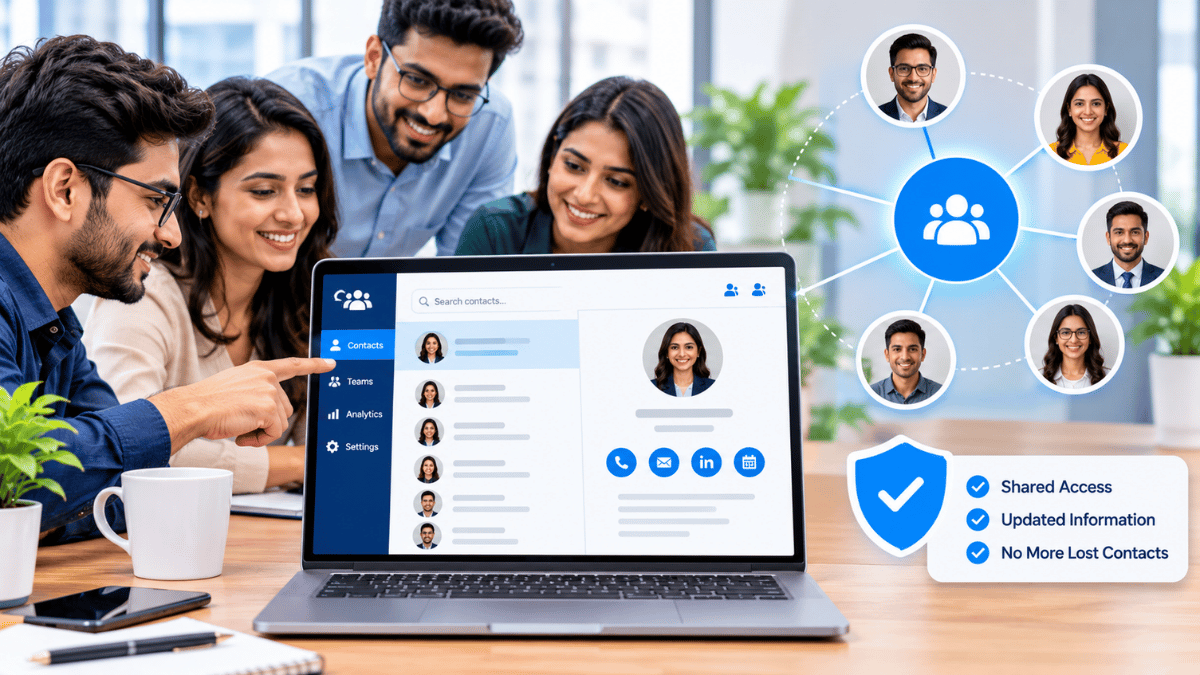
- Centralized contact management — contacts captured by any employee appear in a shared directory, so the organization stops losing relationships when employees change roles.
- Team analytics — views, saves, and link clicks aggregated across the organization, so leadership can see which events and which channels are producing engagement.
- CRM integration — contacts flow into Zoho CRM or HubSpot automatically, so the sales pipeline stays current without manual entry.
For organizations that also maintain a public-facing page, Business Brief extends the same logic to the company level — a single branded destination that routes visitors to individual employee cards. Between Signify Teams, Business Brief, and the individual employee cards, the organization has a coherent digital presence at every level, instead of a patchwork of individual efforts.
The Security Policy and Privacy Policy cover the data-handling posture enterprise buyers will want to review. Current pricing is on the pricing page, and the solutions overview shows how the pieces fit together for different organization types.
Frequently asked questions
What is “the digital card bridge”?
It is a term for the tooling that connects a professional’s rich online presence (LinkedIn, portfolio, writing, work) to the physical moment of meeting someone in person. A paper card captures almost none of that richness — it carries a name and a phone number. A Signify digital business card carries the full digital presence, opened in seconds by tap or scan, and hands the recipient a clear path to follow up.
Do recipients need an app to view a Signify card?
No. The card opens in a standard web browser on any smartphone, tablet, or computer. There is nothing to download, no account to create, and no compatibility issues to worry about. That is critical for professional networking, where the recipient is often on an unfamiliar device or a locked-down corporate phone.
Should I use NFC or QR?
Most professionals end up using both. NFC is faster and more elegant for one-to-one introductions — a single tap and the profile opens. QR is universal and works on any printed material (badges, tabletop signs, slide decks) — the only format that transfers from print to phone. Using both covers every scenario, and the redundancy eliminates the failure mode of a card that doesn’t work at the moment you need it.
How does the digital card bridge connect to LinkedIn?
By placing your LinkedIn URL as one of the links on your Signify card. When someone taps your card, they see your Signify profile — and can tap through to LinkedIn in a single step. Signify captures the contact at the moment of meeting; LinkedIn carries the professional narrative forward. Neither tool does the other’s job; together they cover the full lifecycle of a professional relationship. The Signify Insights library has a deeper article on the Signify + LinkedIn workflow.
How much does Signify cost?
The individual Signify card is free to start — the free tier covers card creation, sharing, and basic analytics, which is enough for most professionals. Paid tiers add more cards, custom branding, and advanced features. Team plans (5–100 seats) add organization templates, shared contacts, and team analytics. Details are on the pricing page.
Is the environmental claim real?
Yes. Approximately 10 billion paper business cards are printed globally each year, the industry consumes an estimated 7.2 million trees annually, and roughly 88% of cards are discarded within a week. A single Signify digital card replaces roughly 1,500 paper cards per employee per year. These are the industry-standard figures and are consistent with Signify’s published analysis. Anyone verifying the numbers should note the 10-billion figure is global — earlier versions of this article incorrectly stated it as U.S.-only.
Can I use my Signify card alongside paper cards?
Yes. Many professionals carry both — an NFC card for in-person introductions and a paper card for situations where a physical object is more appropriate. There is no rule that one replaces the other. The important thing is that the Signify card carries your live digital identity, so the recipient has a path to a current profile regardless of which format they received.
What about teams and organizations?
Signify Teams gives an organization a shared template layer (consistent logo, colors, required fields across every employee card), a shared contacts directory, team-wide analytics, and CRM integration. Seat counts range from 5 to 100, with a seven-day free trial so IT can evaluate before committing.
How long does it take to set up?
Most professionals complete the setup in under 10 minutes: create the card, add your links, choose your theme, and test the QR and NFC on a second device. Signify Teams adds one template design step and one employee rollout step — usually a matter of days for a team of up to 100 people.
What is the first step?
Create a free Signify card. Add your LinkedIn URL as one of the links. Scan the QR code on a phone that isn’t yours. That’s the entire minimum viable version of the bridge — everything else is optional refinement.
Cross the bridge in ten minutes
Your digital presence is already rich. Bridge it to the physical world with a Signify card that opens in seconds and stays current forever.
Create your free digital card